
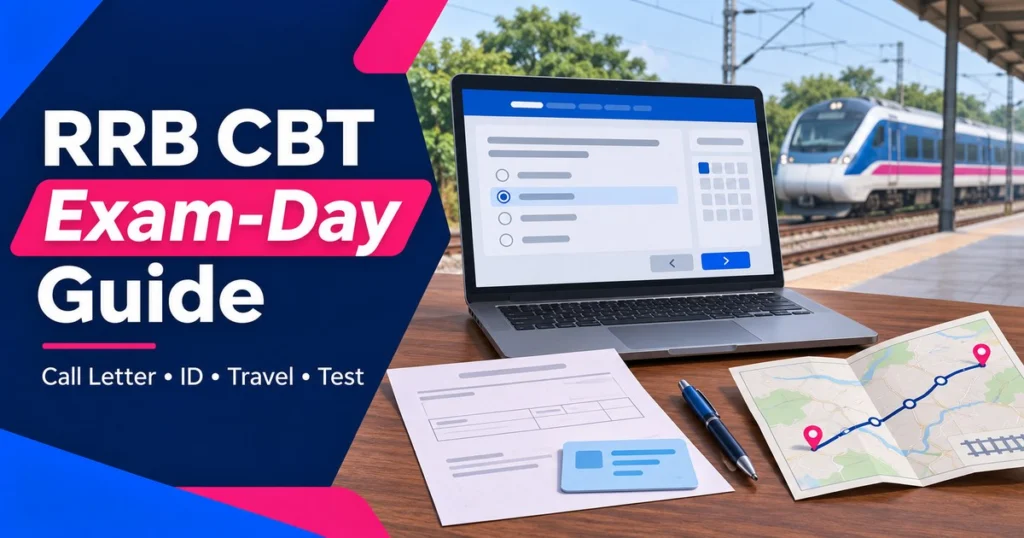
An RRB computer-based test begins before the first question appears. You have to find the correct centre, arrive for your allotted shift, complete identity checks and understand the test screen. A missing document or a wrong assumption about reporting time can undo weeks of preparation.
This RRB CBT exam-day guide helps railway aspirants organise those practical details. It separates the exam city slip from the e-call letter, explains what to check before travelling and gives a simple routine for the computer test. It is an evergreen guide, not an announcement of a new examination date. Your recruitment notice and individual call-letter instructions remain the authority.
Start with your CEN, stage and actual call letter
RRB examinations cover different recruitments and stages. Write your Centralised Employment Notice number, post, examination stage and chosen RRB at the top of your checklist. A notice for another recruitment may look familiar while giving instructions that do not apply to you.
Use railway recruitment updates to locate the relevant recruitment, then follow its official RRB link. Check the notice heading before entering login details. Do not give your password or OTP to someone offering to download the document for you.
A city intimation slip helps with travel planning. The e-call letter supplies the information and instructions for attending your allotted examination. Do not assume the city slip permits entry. Download every page of the actual call letter and read the instructions, including any separate annexure.
Check documents before you pack
As a concrete reference, section 20 of the official CEN 09/2025 Level-1 notification, updated 30 January 2026 requires an e-call letter and valid original photo ID. It also specifies a recent colour passport photograph and instructions for completing the declaration at the venue. These are recruitment-specific requirements: compare them with your own notice.
| Item | What to check | Action before leaving |
|---|---|---|
| E-call letter | Name, photograph, date, shift and full centre address | Print all required pages clearly |
| Photo identification | Accepted type and original-document requirement | Keep the exact accepted document ready |
| Photograph | Required size, colour, recency and number | Pack photographs matching your instructions |
| Additional paperwork | Scribe, assistance or travel documents, where applicable | Follow the relevant annexure rather than a general checklist |
Compare the printed details with your application record. If something is wrong, contact the helpdesk identified on the official recruitment page promptly. Save the complaint reference or email. Do not edit the PDF yourself or assume that an invigilator can correct every discrepancy at the gate.
Leave venue-only fields alone
If your call letter says that a declaration, signature or thumb impression must be completed in the invigilator’s presence, leave that field blank until instructed. A helpful relative may suggest signing everything beforehand; follow the printed rule instead. Keep the document flat and readable.
Understand identity and biometric instructions
Aadhaar-related instructions deserve a separate check. An official RRB notice for CEN 08/2024 Level-1 CBT required Aadhaar-linked biometric authentication and asked candidates to keep Aadhaar unlocked for the examination process. That notice concerns its own recruitment cycle; it does not establish a new date for your test.
Read the current notice for your CEN to see what applies. If it gives an authentication step, complete it through the official service well before travel. Never share Aadhaar details in an unofficial chat group. If authentication fails or your circumstances differ, use the official helpdesk rather than guessing an alternative procedure.
For download announcements, check the admit card updates and then verify the instructions at the linked examining authority. A screenshot shared by another candidate cannot establish your centre, reporting time or permitted identification.
Plan backwards from reporting time
Read reporting time, gate-closing time and examination start time as separate entries. Build your journey around reporting, not the moment the test starts. The final part of a journey often takes longer than expected because a campus entrance may be far from the nearest bus stop.
A travel calculation you can adapt
Suppose an imaginary call letter gives an 8:00 am reporting time. Your journey usually takes 50 minutes, and you allow 30 minutes for traffic and finding the entrance. Leaving at 6:40 am covers those 80 minutes. These numbers illustrate planning only; they are not RRB shift timings.
Check the full address and centre code, especially where similarly named colleges exist. Save the route offline and write down the address. For an unfamiliar city, consider accommodation or an earlier journey if practical. Confirm transport availability rather than assuming the first morning service will run.
Pack according to the prohibited-item list. Do not depend on a centre providing storage for a phone, bag or valuables. Arrange belongings with a companion or another safe option before entry, where possible. Carry only items your instructions permit.
Use the computer-test instructions before answering
At your workstation, check that the displayed candidate details are yours. Listen to the staff and read the on-screen instructions. If the details, keyboard, mouse or display are wrong, tell the invigilator immediately. Do not change seats or try to repair equipment yourself.
Learn what each question-status colour means in that examination’s interface. In particular, check how saving an answer, moving to another question and marking for review affect your response. Practise with the official mock interface when available; a commercial mock may use different controls.
Your timing strategy must match your examination stage. Use the exam syllabus and pattern section to find the appropriate reference. NTPC candidates can also read the existing RRB NTPC CBT 1 and CBT 2 guide while checking the official rules for their attempt.
During practice, measure how long you spend on questions you eventually leave. Set a sensible limit for a first attempt, then return if time permits. Avoid importing another exam’s negative-marking rule or assuming every railway CBT has the same duration.
After the test: keep a useful record
Follow the staff’s exit instructions and retain any documents you are allowed to keep. Note your CEN, stage and examination date privately. When response sheets or answer keys become available, review them through the official link and note any objection deadline before starting a comparison.
Use government exam result updates to locate later announcements, then confirm your recruitment and stage on the official page. A result for a different CEN or a provisional list is not proof of your final selection.
Frequently asked questions
Q. Can I enter an RRB CBT using only the city slip?
Ans. Do not rely on it. Download the actual e-call letter and carry the documents specified for your examination.
Q. Is a photocopy of my ID enough?
Ans. Follow the accepted-ID list and original-document requirement in your notice. A photocopy should not be assumed to replace an original.
Q. Should I sign every space before travelling?
Ans. No. Leave any venue-only declaration, signature or thumb-impression field untouched until the invigilator instructs you.
Q. Does every railway CBT have identical timings?
Ans. No. Use your allotted call letter and current examination instructions. Do not copy another candidate’s reporting time.
Q. What if the computer stops responding?
Ans. Alert the invigilator immediately and follow the centre’s procedure. Do not attempt repairs or leave your seat without permission.
Q. Should I throw away my call letter after the exam?
Ans. Keep a secure copy and relevant recruitment records. They can help you identify your examination and follow later stages.